Stop Uploading PDFs to ChatGPT: Use Markdown Files Instead
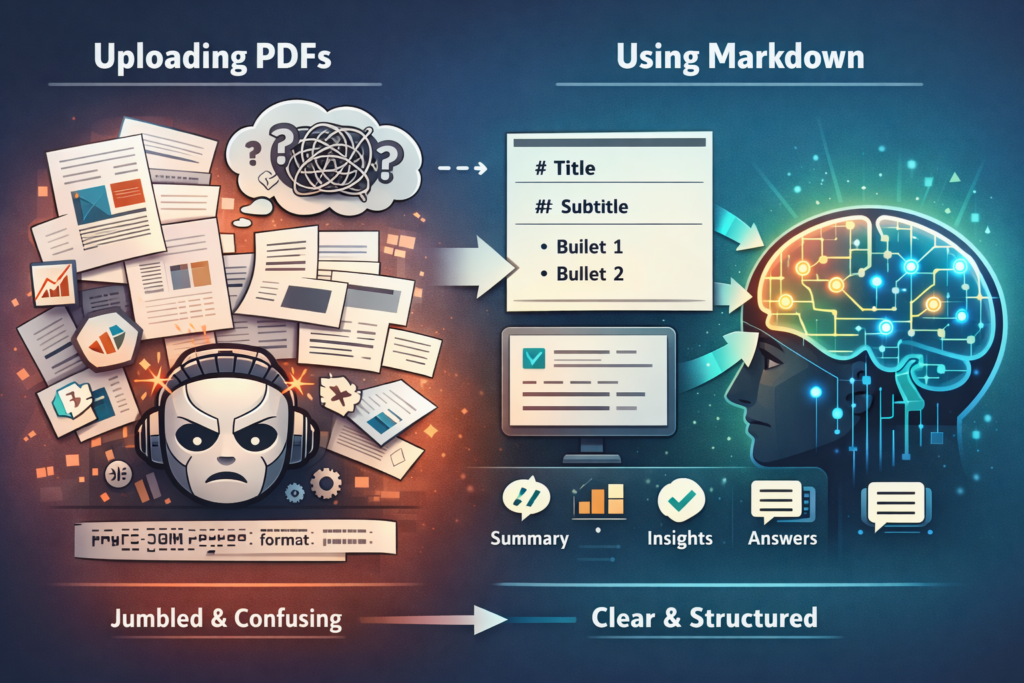
PDFs are poorly suited for AI tools like ChatGPT because they contain formatting noise that distorts content. Markdown files, using simple plain-text formatting, are natively understood by all major AI models, producing more accurate results, fewer tokens used, and better overall output quality.
If you've ever uploaded a PDF to ChatGPT and gotten back a mangled summary, you're not alone. Markdown files for AI are the simple fix that most people don't know about — and switching could dramatically improve the quality of every AI interaction you have.
The problem isn't ChatGPT. It's the file format. PDFs were designed for printing, not for artificial intelligence. When you feed an AI a markdown file instead, you're speaking its native language — and the results speak for themselves.
Your PDFs Are Sabotaging Your AI Results
You spend 30 minutes formatting a beautiful PDF report. You upload it to ChatGPT. You ask for a summary. And what comes back is… wrong. Tables are jumbled. Bullet points are merged into walls of text. Entire sections are missing.
Sound familiar?
You're not imagining it. This is one of the most common frustrations among people who use AI tools daily. Search "why can't ChatGPT read my PDF" and you'll find thousands of people describing the exact same experience.
The typical advice? "Try a smaller file." "Make sure it's not scanned." "Use OCR first." These tips treat the symptoms. The real problem is the format itself.
Why AI Struggles With PDFs (It's Not a Bug, It's the Format)
A PDF looks clean and organized to human eyes. But under the hood, it's a mess of instructions that have nothing to do with your actual content.
Here's what a PDF file actually contains:
- Font data — typeface names, sizes, weights, and embedding instructions
- Positioning coordinates — exact x/y placement for every character on the page
- Style metadata — colors, borders, spacing, page dimensions
- Layout instructions — column definitions, text flow rules, header/footer logic
All of this is noise to an AI. Before ChatGPT or Claude can even read your content, they have to strip away all that formatting data and try to reconstruct what you actually wrote. It's like trying to read a book by first disassembling the printing press.
As Box CTO Ben Kus explained in a recent talk, the idea that AI reads PDFs smoothly is "an illusion." You think the AI understands your document — but it's actually guessing at structure based on visual positioning cues that frequently lead it astray.
Tables are the worst offenders. PDF tables aren't real data structures — they're just text positioned to look like rows and columns. When AI tries to parse them, it often misreads which values belong to which headers, producing subtly wrong output that's hard to catch.
What Is Markdown (And Why AI Loves It)
Markdown is a lightweight way to format text using simple symbols. No special software required. No hidden code. Just plain text with a few easy rules.
Here's the thing most people don't realize: every response ChatGPT has ever given you is already written in Markdown. Those bold headings, bullet points, and code blocks? That's all Markdown formatting. When you give ChatGPT a markdown file, you're literally speaking its language.
Here's what Markdown looks like:
# This Is a Heading

This is a paragraph with **bold text** and *italic text*.

- Bullet point one
- Bullet point two

| Feature | PDF | Markdown |
|---------|-----|----------|
| AI-readable | ❌ | ✅ |
That's it. No hidden metadata. No positioning coordinates. No font data. Just your content, clearly structured, ready for AI to understand perfectly.
Think of it this way: a PDF is like giving someone directions by handing them an architect's blueprint of the entire city. Markdown is like giving them a clean, numbered list of turns. Both get you there — but one is dramatically easier to follow.
Markdown vs PDF: A Side-by-Side Comparison
The differences between markdown vs PDF AI processing aren't theoretical — they're measurable. Here's how the two formats compare when fed to AI tools:
| Factor | Markdown | |
|---|---|---|
| Token usage | High — layout data inflates token count by 2–10x | Low — up to 70% fewer tokens for the same content |
| Structure preservation | Unreliable — AI guesses at headings, lists, tables | Perfect — structure is explicit in the syntax |
| Table accuracy | Frequently broken — values misaligned | Accurate — tables are real data structures |
| File size | Large (fonts, images, metadata embedded) | Tiny (plain text only) |
| Version control | Difficult — binary format, hard to track changes | Easy — plain text works with any diff tool |
| Editability | Requires special software | Any text editor works |
| AI output quality | Inconsistent — depends on PDF complexity | Consistent — what you write is what AI reads |
The token difference alone is significant. When Cloudflare launched their "Markdown for Agents" feature in March 2026, they reported a 98% reduction in token usage when serving content as markdown instead of formatted HTML to AI agents. Fewer tokens means faster responses, lower costs, and more room in the AI's context window for your actual questions.
The bottom line: when you upload a markdown file, the AI spends zero effort on parsing and 100% of its capacity on understanding your content. That's why the results are better.
How to Start Using Markdown Files for AI Today
You don't need to be a developer. You don't need to learn to code. You just need a text editor and five minutes.
Free Tools to Get Started
Any of these will work beautifully for creating markdown files for AI:
- Obsidian — Free, powerful, and built entirely around Markdown. Great if you want a full knowledge management system. Works on Mac, Windows, Linux, iOS, and Android.
- Typora — Clean, distraction-free Markdown editor. What you type is what you see — no split-screen needed. One-time purchase ($15).
- iA Writer — Minimal and elegant. Excellent for focused writing. Available on all platforms.
- Notion — Already uses Markdown under the hood. You can export any Notion page as a .md file and feed it directly to AI.
- Any plain text editor — Even Notepad or TextEdit works. Save with a
.mdextension and you're done.
Markdown Basics in 2 Minutes
Here's everything you need to know to use markdown effectively with AI:
# Heading 1 (main title)
## Heading 2 (sections)
### Heading 3 (subsections)

**Bold text** for emphasis
*Italic text* for softer emphasis

- Bullet point
- Another bullet point

1. Numbered step one
2. Numbered step two

[Link text](https://example.com)

> This is a quote block
That covers 90% of what you'll ever need. Save the file as yourfile.md, upload it to ChatGPT or Claude, and watch the difference.
Converting Your Existing Documents
Already have a library of PDFs and Word docs? You don't have to rewrite everything. These tools convert existing documents to Markdown:
- Microsoft MarkItDown — Microsoft's own open-source tool for converting Office docs and PDFs to Markdown
- IBM Docling — Enterprise-grade document conversion, handles complex layouts
- Pandoc — The Swiss Army knife of document conversion — free and supports dozens of formats
- Online converters — Search "PDF to Markdown converter" for quick, browser-based options (good for one-off conversions)
Pro tip: For important documents you'll reference repeatedly with AI, spend a few minutes cleaning up the converted Markdown. Fix heading levels, check that tables converted correctly, and remove any leftover formatting artifacts. The five minutes of cleanup pays off every time you use the file.
When to Still Use PDFs (And When Not To)
This isn't an anti-PDF article. PDFs are great at what they were designed for. Here's a simple framework:
Keep using PDFs for:
- Final-format documents you'll print or distribute
- Legal contracts and signed documents
- Formal reports shared externally where formatting matters
- Anything where the visual layout is part of the message
Switch to Markdown for:
- Any document you'll feed to ChatGPT, Claude, or other AI tools
- Notes, research, and reference material
- Standard operating procedures (SOPs) and internal documentation
- Knowledge bases and project docs
- Meeting notes and agendas
- Blog drafts and content outlines
The rule of thumb: if the document's job is to look good on paper, use PDF. If the document's job is to convey information to AI, use Markdown.
Many people find that once they start writing in Markdown, they prefer it for everything — not just AI. It's faster, more portable, and forces you to focus on content over formatting.
The Productivity Stack: Markdown + AI
The shift toward markdown files for AI isn't just a productivity hack — it's where the entire industry is heading.
In the first quarter of 2026 alone:
- Cloudflare launched Markdown for Agents, reducing AI token costs by 98%
- Microsoft released MarkItDown, an open-source PDF-to-Markdown converter
- IBM shipped Docling for enterprise document conversion
- Visual Studio 2026 now uses Markdown as the control surface for AI agent behavior
- Mistral released their own Markdown-based AI document pipeline
When the biggest names in tech are all converging on the same format, it's a signal worth paying attention to.
The best part? You can start small. Pick one document you regularly upload to ChatGPT. Convert it to Markdown. Compare the results. At ProductivityTech, we've tested this workflow across dozens of real-world use cases — meeting notes, project briefs, SOPs, research documents — and the improvement in AI output quality is consistent and noticeable.
Markdown-native tools like Obsidian and Notion make this even easier. Everything you write is already in Markdown. Export, upload, get better AI results. No conversion step needed.
The plain text AI workflow is simple: write in Markdown, store in Markdown, feed to AI in Markdown. Your documents become AI-ready by default.
Frequently Asked Questions
Is Markdown hard to learn if I'm not a developer?
Not at all. Markdown was specifically designed to be readable by anyone. The basics — headings, bold, italic, lists, and links — take about five minutes to learn. If you can write an email, you can write Markdown. Most Markdown editors also show you a live preview, so you'll never have to guess what your formatting looks like.
Can I still use images and tables in Markdown?
Yes. Markdown supports images with a simple syntax () and tables using pipes and dashes. While they look less polished than a formatted PDF, AI tools parse them perfectly — which is the whole point. For documents where visual design matters, you can always export Markdown to a formatted PDF for sharing.
What's the best file format for ChatGPT uploads?
Markdown (.md) files consistently produce the best results when uploaded to ChatGPT or Claude. Plain text (.txt) is a close second. PDFs and Word documents work but often produce inconsistent results, especially with tables, multi-column layouts, or complex formatting. If you must use a PDF, consider converting it to Markdown first using a tool like Microsoft MarkItDown or Pandoc.
Do I need to convert all my existing documents to Markdown?
No. Start with the documents you upload to AI most frequently — your SOPs, templates, reference notes, and knowledge bases. These give you the biggest return on the conversion effort. For one-off documents, a quick PDF-to-Markdown conversion with an online tool takes seconds. Over time, you'll naturally start writing new documents in Markdown because it's faster.
Does Markdown work with Claude, Gemini, and other AI tools too?
Yes. Every major AI model — ChatGPT, Claude, Gemini, Copilot, Perplexity, and others — processes Markdown natively. In fact, all of these models output Markdown by default. It's the universal format for AI, not just a ChatGPT-specific trick.
Ready to upgrade your AI workflow? Start with one document today. Convert it to Markdown, upload it to your AI tool of choice, and see the difference for yourself. Once you do, you'll never go back to uploading PDFs.
For more AI productivity tips, workflows, and tool guides, visit ProductivityTech — we test the tools so you don't have to.
Indie maker and developer. Building productivity tools and writing about systems, automation, and the craft of focused work.
Want a custom Notion template?
Browse my ready-made tools or get in touch for a custom build.