Podcast Transcript Search: Find Quotes in Your Own Library (2026)

Podcast transcript search finds words, names, and quotes inside written episode text—without scrubbing the audio. The useful version for most listeners in 2026 is personal: search your library after you generate transcripts, not only browse a public catalog of other people’s shows.
This guide compares in-app text, public indexes, and your own FTS library; covers why Spotify and Apple often stop at one episode; and walks a generate → store → search workflow. Deep links only for generation and export—those jobs live on sister posts: podcast transcript generator, transcribe podcast to text, and Spotify podcast transcript export.
In-app vs public index vs your library
Three layers get mixed up under podcast transcript search:
- In-app transcripts (Apple Podcasts, Spotify when available) — great for reading along on one episode. Weak for export, cross-show recall, and plain-text backups.
- Public indexes (Listen Notes–style directories, Podscripts, TapeSearch, Happy Scribe discovery surfaces, and similar) — great for finding shows across the open web. Weak when you need privacy and “what did I already listen to?”
- Your library + FTS — great for quotes, notes, and research across episodes you chose to keep. Requires generate → store first.
Personal podcast transcript search owns the bookshelf. Public indexes own the map. In-app text owns the player overlay. Pick the layer that matches the job.
Most frustration comes from using the wrong layer on purpose. People paste a half-remembered quote into a public discovery box, get unrelated shows, and conclude “transcript search does not work.” It does—just not as a substitute for a library they never built.
| Layer | Best for | Not for |
|---|---|---|
| In-app (Apple/Spotify) | Follow-along on one episode | Cross-show FTS, reliable export |
| Public catalog / index | Discovery, brand mentions, unknown shows | Private libraries, your Spotify backlog |
| Personal library + FTS | Quotes and notes from shows you follow | Instant web-wide discovery without generating text |
Why Spotify and Apple often stop at one episode
Platform players optimize for listening, not research desks. You can usually open one episode’s transcript (when it exists) and skim. You rarely get durable podcast transcript search across months of follow-ups, clean TXT/Markdown export, or one query that spans Apple + Spotify + RSS shows you care about.
Spotify adds friction: exclusives, incomplete official transcripts, and weak export. That pain is real—and it is a reason people look for personal FTS after they finally get text out. For the export steps themselves, use the dedicated guide (pain context only here): Spotify podcast transcript export. Apple’s in-app text is stronger for reading along, but the same one-episode ceiling applies when you need an archive.
If your only need is “read along while this one episode plays,” stay in the app. If your need is “find that claim from three episodes ago for a slide,” leave the player and work in a searchable store. Mixing those jobs is how threads and tool roundups stay noisy without solving recall.
Public engines: what they are good for (and not)
SERP alternatives for podcast transcript search include Listen Notes, Podscripts, TapeSearch, Apple’s in-app search, and Happy Scribe. These are useful for public discovery: locating episodes on the open web, sometimes with transcripts or request flows.
Good for: finding unknown shows, scanning brand or topic mentions across a wide catalog, research when you do not already have a listening list.
Not for: private recall of your own backlog, Spotify-only pain after you already listened, export control, or treating “search the internet’s podcasts” as “search my notes.” Public engines are not a substitute for personal podcast transcript search once the job is citation and memory.
Coverage also varies. Some catalogs shine on English network shows and lag on niche or non-English feeds. Even a strong public hit list will not include exclusives you heard only inside a closed player—another reason generate-then-search still matters after you already pressed play.
Workflow: generate → store → FTS
Reliable podcast transcript search is a three-step loop. This section points to sister guides for generation—it does not redefine them.
- Generate — Get text via RSS, upload, or platform export. Paths and tool choices: podcast transcript generator and transcribe podcast to text.
- Store — Keep show name, episode title, date, URL, and speaker labels with the file. Untitled dumps make later queries fail.
- FTS — Full-text search across the library (phrases, names, rare terms), not filename-only filters.
A normal week looks like: pick a few keepers, generate once, file under the show, then query when a meeting needs a quote. Slower than pasting into a public discovery box—and that is fine. The payoff is recall you own.
Skip generation for throwaway listens. Invest in episodes you cite, teach from, or revisit. A small, clean library beats a huge pile of never-opened files—FTS cannot fix an archive you never curated.
Honest limits: accuracy follows audio quality, accents, and jargon. Speaker labels can mis-attribute similar voices. Spot-check before you publish a quote. If you use BYOK Whisper, budget API minutes—not only “free app.”
Searching after you already have a transcript
Once Spotify, Apple, RSS, or an upload gave you text, podcast transcript search is just indexing and querying that store. Paste or import into a notes app with search, a desktop folder + ripgrep, or a listener-first library UI.
Practical pattern: one folder (or app library) per year or per show; consistent filenames like show-slug_YYYY-MM-DD_episode-slug.txt; keep a short metadata header at the top. Then a single phrase query beats re-opening the player. If the only copy still lives inside Spotify’s UI, export first (see the Spotify sister post), then search outside the player.
When teammates share quotes, paste the episode URL and a short excerpt into the same note as the full transcript link. Future-you (or a colleague) should land on the source in one hop—not a scavenger hunt through chat history.
Tips: timestamps, naming, and speakers
Improve podcast transcript search hits with small hygiene habits:
- Timestamps — Helpful for jumping back into audio; verify before public citations (they can drift).
- Naming — Stable show + episode slugs beat “final-final-v3.txt.”
- Speakers — Even rough Host/Guest labels cut filler and surface the guest’s claim faster.
- Phrase search — Use quotes for rare product names when your tool supports it.
- Fix recurring misspellings once so future queries match.
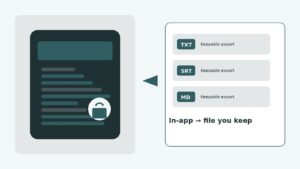
- Export backups — Keep TXT/Markdown so you are not locked to one vendor UI.
Five minutes of cleanup after transcription often saves twenty minutes of failed queries later—whether you use a dedicated podcast transcript search app or a plain notes vault.
Soft path: Podskrift and BYOK
If the job is “find what I already listened to,” public catalogs are the wrong default. Podskrift focuses on personal podcast transcript search: generate for episodes you care about, then FTS your library. Bring your own OpenAI key (BYOK) so Whisper bills to you while the app stays free to use.
That keeps costs honest and avoids a studio CMS you do not need. For free-tier framing and cost context (not a re-list of every tool), see free podcast transcription tool. Start when ready at podskrift.com.
FAQ: podcast transcript search
Is there a way to search podcast transcripts?
Yes. Public indexes search web-wide catalogs; personal podcast transcript search queries text you generated or exported into your own library. Pick personal FTS when the job is recalling shows you already follow.
How do I get the transcript of a podcast?
Use in-app transcripts when available, export from platforms where possible, or generate via RSS/upload speech-to-text. See our podcast transcript generator and transcribe podcast to text guides—then store the file for search.
Can ChatGPT transcribe a podcast?
ChatGPT can help with text you provide or with connected transcription workflows, but long audio usually needs a speech-to-text step (for example Whisper) first. After you have text, podcast transcript search is a library/FTS problem—not a chat prompt alone.
Is there a podcast search engine for transcripts?
Yes—public engines and directories index many shows for discovery. They are not the same as personal podcast transcript search over your private backlog. Use public engines to find new episodes; use your library to find last month’s quote.
Why isn’t Spotify or Apple enough for transcript search?
They often stop at one episode’s in-app text. Cross-show FTS, export, and mixed-platform archives are limited—so people move text into a personal library for podcast transcript search.
Next step: Open https://podskrift.com, add one episode from your library, and search it for a quote you remember. Need generation or Spotify export first? See the generator and Spotify export guides.
Indie maker and developer. Building productivity tools and writing about systems, automation, and the craft of focused work.
Want a custom Notion template?
Browse my ready-made tools or get in touch for a custom build.