Apple Podcast Transcript Generator: Get Text You Can Keep (2026)
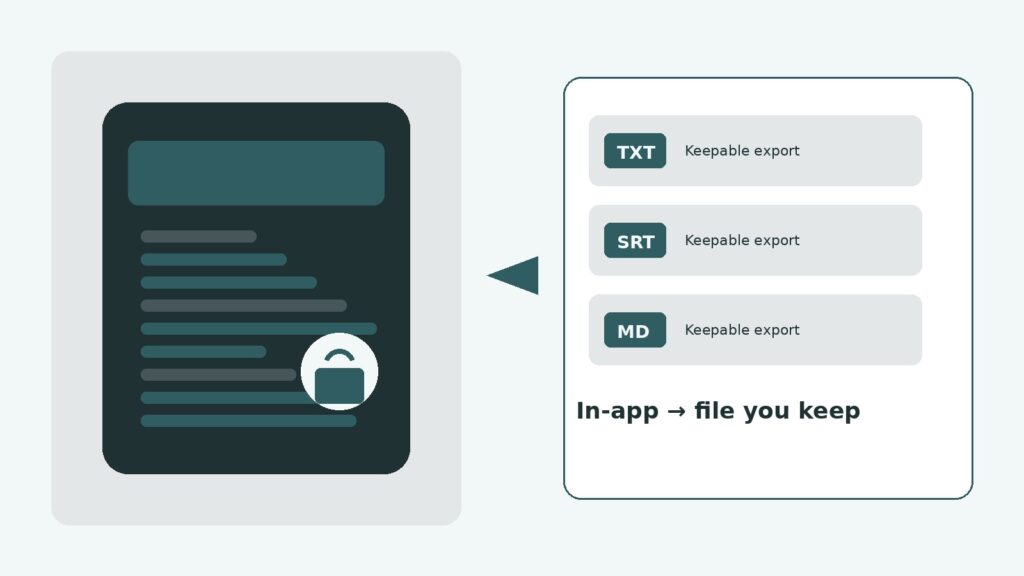
An apple podcast transcript generator turns an Apple Podcasts episode into written text you can keep—TXT, Markdown, or captions—not only read inside the player. Apple’s built-in transcripts (iOS 17.4+) are excellent for follow-along and accessibility. They are weaker when you need a durable file, cross-episode search, or shows Apple never transcribed.
This guide separates in-app read-along from keepable export, explains listener vs creator options, and maps a practical Apple → RSS/audio → BYOK path. For the general three paths (link, RSS, upload), use the podcast transcript generator hub—this page owns the Apple angle only. After you have text, personal search lives on podcast transcript search.
What Apple’s built-in transcripts are (and aren’t)
Since March 2024, Apple Podcasts can show episode transcripts on supported devices and languages. Per Apple Support, you can open a transcript from Now Playing or episode details, search within that episode, tap a paragraph to jump playback, and select text to copy or share. Coverage depends on language, region, and whether Apple (or the creator) produced a transcript for that episode.
What they are: a player overlay for reading along, accessibility without pressing play, and single-episode phrase find.
What they aren’t: a library export button, a cross-show archive, or a guaranteed file for every show you follow. That gap is exactly why people look up an apple podcast transcript generator after they already opened the in-app view. Treat the player as a reader; treat an apple podcast transcript generator as the path to a file you still have next quarter.
Creator-side docs on Transcripts on Apple Podcasts add useful detail: Apple may auto-generate after publish; creators can supply VTT/SRT via RSS or Podcasts Connect; shared selections from the app are capped (Apple documents copy/share limits around a few hundred characters of search and up to ~200 words when sharing from the transcript UI). Dynamic ad inserts and music lyrics may be omitted. None of that equals “Download full transcript as TXT for listeners.”
Can you export an Apple podcast transcript?
Short answer: listeners and creators have different doors. Mixing them up is the most common SERP confusion.
- Listeners (you, in the Podcasts app): View, search in-episode, copy or share limited selections. There is no official “Export full transcript” for the audience. Workarounds (macOS TTML cache tools, scrape-adjacent scripts) exist in the wild—they are fragile, Mac-centric, and still depend on Apple having cached a transcript after you opened the episode. They are not a productized apple podcast transcript generator.
- Creators (show owners): Can download/edit transcripts in Apple Podcasts Connect, publish their own via the RSS transcript tag, and upload VTT/SRT for subscriber episodes. That workflow helps publishers—not fans who simply want last week’s guest quote in Obsidian.
If your job is “I listened on iPhone and need the file,” you are in the listener bucket. An apple podcast transcript generator (or RSS + speech-to-text) is the honest path—not waiting for a missing Export button. Power users who dig into macOS cache folders are still solving the same job an apple podcast transcript generator advertises—only with more breakage when Apple changes paths.
In-app vs generate vs export
Three jobs get mashed under one search. Use the layer that matches the outcome:
| Layer | Best for | Not for |
|---|---|---|
| Apple in-app transcript | Read-along, accessibility, jump-to-word on one episode | Keepable full-file export, cross-library FTS |
| Generate (RSS / upload / link → STT) | Independent text you own for most public shows | Private/premium audio with no enclosure |
| Creator Connect / RSS transcript tag | Publishers shipping official captions | Listeners who don’t own the show |
When someone says they need an apple podcast transcript generator, they usually mean the middle row: produce text outside the player so they can paste, cite, and archive.
Working path: Apple episode → RSS/audio → text you keep
You do not need to reinvent speech-to-text here. The reliable listener path in 2026 is:
- Start from the Apple episode — confirm title, show, and date in Podcasts (or podcasts.apple.com).
- Resolve public audio — many Apple-listed shows still publish an open RSS enclosure. Prefer the feed or a public episode page over fighting the app sandbox.
- Generate with BYOK Whisper (or similar) — run speech-to-text on that file; bring-your-own-key keeps the UI free while you pay API minutes.
- Export TXT / Markdown / SRT — save something you can reopen without the Podcasts app.
Shared path details (link vs RSS vs upload, when each wins) live on the podcast transcript generator guide—follow that instead of re-learning the pipeline on this page. Episodes without a usable feed belong on transcribe podcast to text (upload-first). Spotify exclusives are a different pain; for that platform only, see Spotify podcast transcript export.
Paste-an-Apple-link SaaS tools (common in SERPs) are fine when they resolve the same public enclosure. They are not magic: if Apple never published fetchable audio, no apple podcast transcript generator can invent the waveform. Prefer tools that show you the resolved enclosure URL or let you upload—opacity around “where did the audio come from?” is a red flag for any apple podcast transcript generator.
Time budget matters. A forty-minute episode is a coffee’s worth of Whisper on a decent connection; regenerating every disposable commute episode is waste. Curate keepers the same day you starred them in Apple Podcasts, then batch an apple podcast transcript generator run once or twice a week.
When Apple already shows a transcript
If the in-app transcript is present and you only need to read or jump while listening, stay in Apple Podcasts. Generating again wastes API minutes.
Reach for an apple podcast transcript generator when any of these are true:
- You need the full text as a file (notes, CMS, email, slide citation).
- You want speaker labels, SRT/VTT, or translation Apple does not provide in the player.
- You plan to search across many episodes later (generate → store first; search is a separate step).
- The episode has no in-app transcript (language/region gaps, creator opt-out, still processing, or unsupported).
A practical habit: skim Apple’s view for “is this even the right episode?” then generate once for keepers. Throwaway listens can stay in-app forever.
Honest limits: no transcript, no public enclosure
Be blunt before you trust any apple podcast transcript generator marketing page:
- No Apple transcript ≠ no audio. You can still transcribe if you can reach the enclosure.
- No public enclosure (subscriber-only / private feed / app-trapped audio) — outbound link tools fail; you need audio you already have rights to upload, or you stop.
- Accuracy still follows mic quality, accents, crosstalk, and jargon. Spot-check names and numbers before you publish a quote.
- Copy limits in-app are intentional product design, not a bug you “fix” with endless select-all.
We built listener workflows around this gap while shipping Podskrift: Apple’s UI answers “read with me now”; keepable archives answer “find that line next month.” Those are different products pretending to be one search query. In early tests, the moment someone asked for “search my last ten Apple episodes,” in-app text failed and an apple podcast transcript generator plus a stored library succeeded—every time.
Soft path: Podskrift (BYOK) for Apple keepers
If you already live in Apple Podcasts and only need text for episodes you care about, you do not need a studio CMS. Podskrift is a soft fit as an apple podcast transcript generator for personal libraries: resolve shows you follow, generate with your own OpenAI key (BYOK), export, then search your store. The app stays free to use; Whisper bills land on your key.
That is not a ranked roundup of every SaaS paste-link tool. For free-tier framing and cost context, see free podcast transcription tool. After files exist, use podcast transcript search—this Apple page does not redefine FTS.
FAQ: apple podcast transcript generator
Does Apple Podcasts have transcripts?
Yes, for many episodes on supported languages and regions (iOS 17.4+). Availability varies by show and processing. In-app transcripts are for reading and jumping—not a full listener export file.
Can I export or download an Apple podcast transcript?
Listeners can copy or share limited selections; there is no official full-file export in the Podcasts app. Creators can manage transcripts in Podcasts Connect or via RSS. For a keepable file, use an apple podcast transcript generator or RSS + speech-to-text.
How do I get a transcript from an Apple Podcasts episode?
Open the in-app transcript if present. If you need a file, resolve the show’s public RSS/audio (or upload), then run speech-to-text / BYOK Whisper and export TXT, Markdown, or SRT. See our podcast transcript generator guide for shared paths.
Why isn’t Apple’s built-in transcript enough?
It is enough for read-along on one episode. It is not enough when you need archive, cross-episode search, captions formats, or text outside the Apple ecosystem—jobs an apple podcast transcript generator is built for.
What if Apple has no transcript for my episode?
Generate independently from public audio when available. If there is no public enclosure (private or premium-only), link-paste tools cannot reach the file—upload audio you already have, or skip.
Need a keepable file from Apple Podcasts? Try Podskrift as a soft apple podcast transcript generator (BYOK free). For shared generate paths or personal search after export, see the generator and search guides.
Indie maker and developer. Building productivity tools and writing about systems, automation, and the craft of focused work.
Want a custom Notion template?
Browse my ready-made tools or get in touch for a custom build.