Claude Code /voice vs Wispr Flow
On this page
Disclosure: this article contains affiliate links to Wispr Flow. If you subscribe through them, I earn a commission at no extra cost to you. Facts below are from Anthropic’s and Wispr’s public docs as of October 2026. Nobody at Anthropic or Wispr reviewed this article before publication.
Short version: Claude Code now ships built-in voice dictation via /voice. If your only goal is talking prompts into Claude Code on a machine with a local mic and a claude.ai login, that feature is the right place to start. If you want voice-to-text in every app — Slack, mail, Notion, other terminals, ChatGPT, Cursor — a system-wide tool like Wispr Flow is the product category that matches that search intent. This post compares documented capabilities, not a side-by-side accuracy test.
What Claude Code /voice is
Anthropic’s Voice dictation page describes speaking prompts in the Claude Code CLI (and the VS Code extension). Speech is transcribed live into the prompt input so you can mix voice and typing in the same message.
How to enable it (as of October 2026):
| Command | Effect |
|---|---|
/voice | Toggle on or off, keep the current mode |
/voice hold | Enable hold (push-to-talk) mode — default |
/voice tap | Enable tap-to-record / tap-to-send |
/voice off | Disable |
Hold mode uses a push-to-talk key (default Space). Tap mode starts on the first tap when the prompt is empty and stops on the second; in tap mode, Anthropic documents an automatic stop after 15 seconds of silence or two minutes total. You can persist settings in the user settings file (voice.enabled, voice.mode) and change language via /config (shared language setting).
Platforms and limits from the same docs:
- Local microphone required. Does not work in cloud sessions (Claude Code on the web) or SSH sessions, and the VS Code extension cannot use it in VS Code Remote (SSH, Dev Containers, Codespaces).
- macOS, Linux, and Windows for local recording (native module; Linux may fall back to
arecord/ SoX). WSL needs WSLg (WSL2 from the Microsoft Store). - Audio goes to Anthropic’s servers for transcription; it is not processed locally.
- Does not consume Claude messages/tokens or
/usagelimits for the transcription step itself.
Auth and cost: /voice requires a claude.ai account. It is listed under features that need a Claude subscription sign-in and is unavailable with a direct Anthropic API key or third-party model providers (feature availability). Organization policy can disable it (Voice mode is disabled by your organization's policy).
Languages: Anthropic lists supported dictation language codes (Czech, Danish, Dutch, English, French, German, Greek, Hindi, Indonesian, Italian, Japanese, Korean, Norwegian, Polish, Portuguese, Russian, Spanish, Swedish, Turkish, Ukrainian). Unsupported language settings fall back to English for dictation.
Transcription is described as tuned for coding vocabulary; the docs say common terms like regex, OAuth, JSON, and localhost are recognized, and the current project name and git branch are added as recognition hints.
For longer agent prompts, how you structure memory still matters more than how you enter text — see Claude Code memory system, memory lessons, and CLAUDE.md too long.
What Wispr Flow is
Wispr Flow is a voice-to-text dictation app (plus a Notetaker for meetings on Mac and Windows) that, per Wispr’s homepage, types “wherever your cursor is” — including messaging, email, notes, terminals, code editors, and AI tools — on Mac, Windows, iPhone, and Android.
Documented product claims relevant to this comparison (homepage / pricing / privacy, checked October 2026):
- Filler cleanup and formatting aimed at “what you meant,” not raw speech
- Personal dictionary / learned vocabulary and snippets
- 100+ languages (homepage FAQ)
- Free plan: 2,000 words per week (homepage FAQ), no credit card required; the pricing page lists that 2,000/week as desktop, with limited weekly use on mobile
- Pro: $15/user/month, or $12/user/month billed annually, for unlimited dictation (and higher Notetaker limits) — from Wispr’s pricing page
- Higher tiers add team admin / SSO / compliance options (see that pricing page; plans change)
- Privacy: transcription always happens in the cloud; TLS in transit; optional dictation cloud storage; model-training opt-out; SOC 2 Type II and ISO 27001 cited on wisprflow.ai/privacy
A longer first-person product review (separate from this docs comparison) is Wispr Flow Review: 2 Years of Dictating Into Claude Code. For meeting-notes positioning versus Granola, see Wispr Flow vs Granola.
Try Wispr Flow free — the free plan’s 2,000 words a week on desktop is enough to see whether system-wide dictation fits how you work.
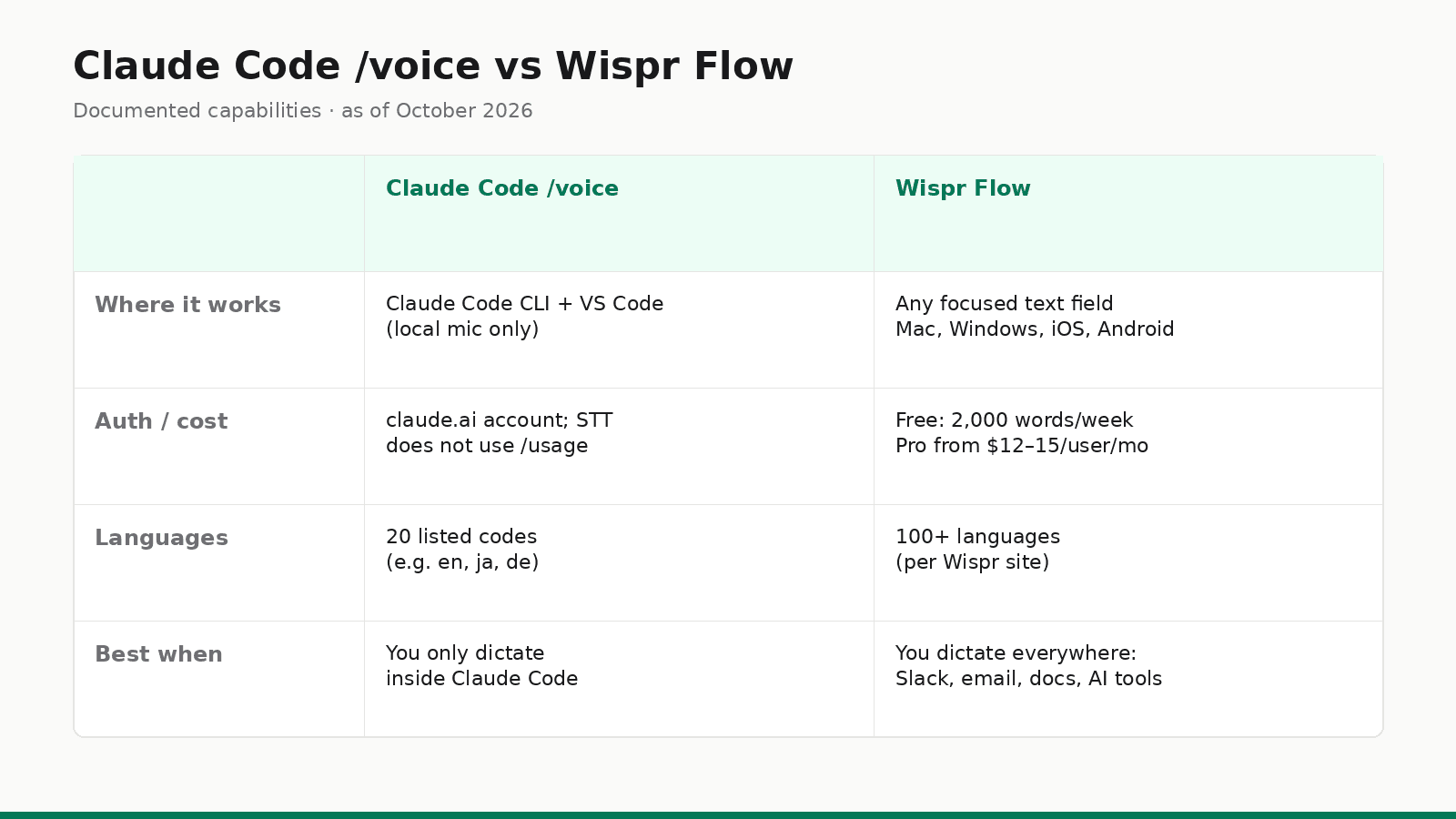
Comparison table (documented capabilities)
Sources: Claude Code voice dictation, feature availability, Wispr Flow, Wispr pricing, Wispr privacy. All checked as of October 2026.
Claude Code /voice | Wispr Flow | |
|---|---|---|
| Primary job | Dictate into Claude Code prompts | Dictate into any focused text field |
| Surfaces | CLI + VS Code extension (local) | Mac, Windows, iOS, Android apps |
| Outside Claude Code | No | Yes (Slack, email, docs, other AI tools, …) |
| Auth | claude.ai account required | Wispr Flow app; free plan, no credit card |
| STT billing | Does not count toward /usage | Free weekly word cap; Pro unlimited |
| Languages | 20 languages listed in the docs | 100+ languages (Wispr site) |
| Remote / SSH / cloud IDE | Not supported (needs local mic) | Types into the focused field on your device, terminals included |
| Audio processing | Streamed to Anthropic (not local) | Cloud transcription (Wispr privacy page) |
| Coding hints | Project name + git branch as hints | Personal / shared dictionary and snippets |
When built-in /voice is enough
Choose Claude Code /voice when:
- You only need voice inside Claude Code (CLI or local VS Code)
- You already sign in with claude.ai (Pro/Max/Team/Enterprise — not API-key-only setups)
- You are fine with audio leaving the machine for Anthropic transcription
- You want zero extra subscription for dictation itself (transcription is outside
/usage)
In that narrow job, a second app is optional. Enable /voice, pick hold or tap, set the language in /config, and mix voice and typing in the same prompt as needed.
When Wispr Flow is worth it
Choose Wispr Flow (or another system-wide dictation tool) when:
- You dictate across the workday: Slack, email, docs, tickets, PR descriptions, prompts in other AI tools
- You want one shortcut and vocabulary that follow you outside the Claude Code prompt
- You use Claude Code with an Anthropic API key, Amazon Bedrock, Google Cloud’s Agent Platform or Microsoft Foundry, where
/voiceis unavailable - You need mobile dictation or Wispr’s Notetaker on the same product
That is the fair split: /voice is a first-party feature for one surface; Wispr is a general-purpose input layer. They can coexist — nothing in Anthropic’s docs requires you to pick only one.
If system-wide dictation is the gap, start with Wispr Flow’s free plan and keep /voice for Claude Code–only sessions if you prefer it there.
Privacy note (both sides)
Both products send audio to the cloud for transcription:
- Anthropic: “Voice dictation streams your recorded audio to Anthropic’s servers for transcription. Audio is not processed locally.” (voice dictation; see also data usage)
- Wispr: “Transcription always happens in the cloud” (privacy)
If you dictate sensitive client material, read those pages (and your org’s policy) before you lean on either tool — especially in regulated environments.
Recommendation
Search intent like “claude code voice mode” or “voice to text claude code”: start with Anthropic’s /voice. It is built for that exact surface, documents hold and tap modes, and does not burn /usage for transcription.
Search intent like “dictate everywhere” or “voice to text for Slack and Claude”: evaluate Wispr Flow (or similar). Built-in /voice will not type into other apps.
Fair bottom line as of October 2026: use /voice when Claude Code is the only place you need speech-to-text; pay for system-wide dictation when the bottleneck is every other text field in your day.
FAQ: Claude Code voice vs Wispr Flow
Does Claude Code have voice mode?
Yes. Anthropic’s voice dictation docs describe /voice for hold-to-record or tap-to-record speech into the Claude Code prompt. It also works in the VS Code extension with the same claude.ai account requirement.
How do I enable Claude Code /voice?
Run /voice in the Claude Code CLI (or /voice hold / /voice tap). The first enable runs a microphone check. You can also set "voice": { "enabled": true, "mode": "tap" } in your user settings. Details: Voice dictation.
Does Claude Code voice work with an API key?
No. As of October 2026, Anthropic says the speech-to-text service needs a claude.ai account. It is not available when Claude Code uses an Anthropic API key directly, Amazon Bedrock, Google Cloud’s Agent Platform, or Microsoft Foundry (docs, feature availability).
Is Claude Code /voice free / does it use tokens?
Transcription does not consume Claude messages or tokens and does not count toward the limits shown in /usage (voice dictation). You still need a claude.ai sign-in that can use Claude Code.
When is Wispr Flow worth it instead of /voice?
When you dictate outside Claude Code — Slack, email, docs, other editors, prompts in other AI tools — or when you want system-wide vocabulary, snippets and cross-device apps. Wispr says Flow types “wherever your cursor is” on its homepage. For Claude Code–only prompting on a claude.ai account, start with /voice.
Stay in the loop
Productivity tips, tool reviews and early access to new products, straight to your inbox.